Showing posts with label Presentations. Show all posts

13 October 2015

How to Deliver a Great Presentation

How to Deliver a Great Presentation 


This infographic features a number of key tips to help you master the art of public speaking. 
Some of these tips include:
  • Know your audience and what they need to learn
  • Provide clear and specific answers tailored for your audience’s learning needs
  • Focus on clarity and simplicity when communicating your message
  • Use the 10-minutes rule to keep your audience engaged
  • Make effective use of your body language and try moving around to keep a sense of energy and confidence
  • Design your message in a story-like narrative with a beginning, middle and end
  • Use visuals in your slides
  • Add the minimum possible of text to your slides
  • Rehearse your presentation several times and identify the weak points you need to work on
  • At the end of your presentation, make room for questions and make your materials available for your audience.


03 October 2014

Free Powtoon

Free Powtoon


Grab this offer before it becomes too late!

Each account gives one teacher + 60 students access 
(normally $96/yr per account)

Enter Promo Code: ToonUp5M

Click below to see samples of PowToon from my previous post!

01 September 2014

Powtoon free for Teachers

Powtoon free for Teachers


Powtoon is now free for teachers.
Get a one year free Premium membership!
Simply use the promo code of 
ToonUp5M

Click below to see my sample of PowToon


Click below to go PowToon website

20 June 2014

Microsoft Photo Story

Microsoft Photo Story


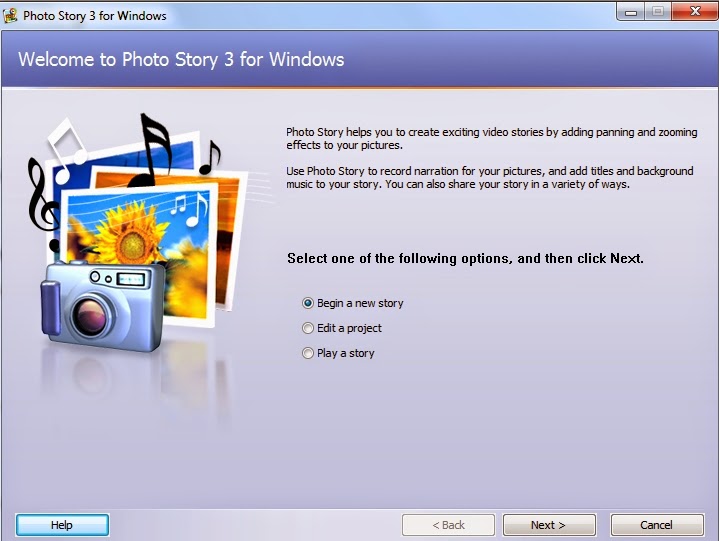
Here is another great program from Microsoft.  It is 
Microsoft Photo Story 3.  It is a free Windows program 
that lets you create audiovisual presentations out of 
your photos and images. You can quickly crop, rotate and 
edit your pictures; personalize them with captions and 
titles and add sound effects, narration, and background 
music. Photo Story saves your presentations as WMV files 
so you can play it on your PC.  

Click below to download the program (5.1 MB)

25 April 2014

Powtoon

Powtoon


WOW, this is so fantastic!!
If you would like to create a presentation that is different and 
comes with all the bells and whistles!!
It is really easy to use and there are also video tutorials to assist
 you if you need help.  The video above took me about 10 minutes 
to create and I am using it as an introduction for my Grade 7 learners 
to tell them about their project!!

Brilliant

02 November 2013

Emaze

Emaze


This is really cool.
It allows you to make online presentations.
You can select a theme and then add text, images and videos.
It is really easy to use!!

You can also click on the link below to see the slideshow I made.


Click here to go to the site


19 September 2013

Silk Slides

Silk Slides


This is really easy to use.
They are a great way to upload presentations online free of charge and share them.


03 June 2013

Swipe

Swipe.to


Use Swipe on any device with a modern browser to build & deliver presentations.
No apps, no installations. Broadcast live for anyone to see, no matter where they are.
Looks very cool!!


23 October 2012

cacoo

cacoo
 
 
This is a user friendly online drawing tool that allows you to create a
variety of diagrams such as site map, flowchart, mind map and wire frame
 
VERY COOL!!


12 October 2012

My Brainshark

My Brainshark


Free presentation creation, hosting.
Add audio to PPT slides, docs, photos to create online videos.
Use for e-learning and on-demand webinars